 Log in

I love the aesthetic of Fresco, a video game where you play as a character embedded into Egyptian wall paintings. In many ways, these wall paintings are ancient precursors to side-scrolling games.

|
Mostly void, partially pizza.
|
It's like The Pedestrian, but way way cooler.
Shelbyville, Kentucky


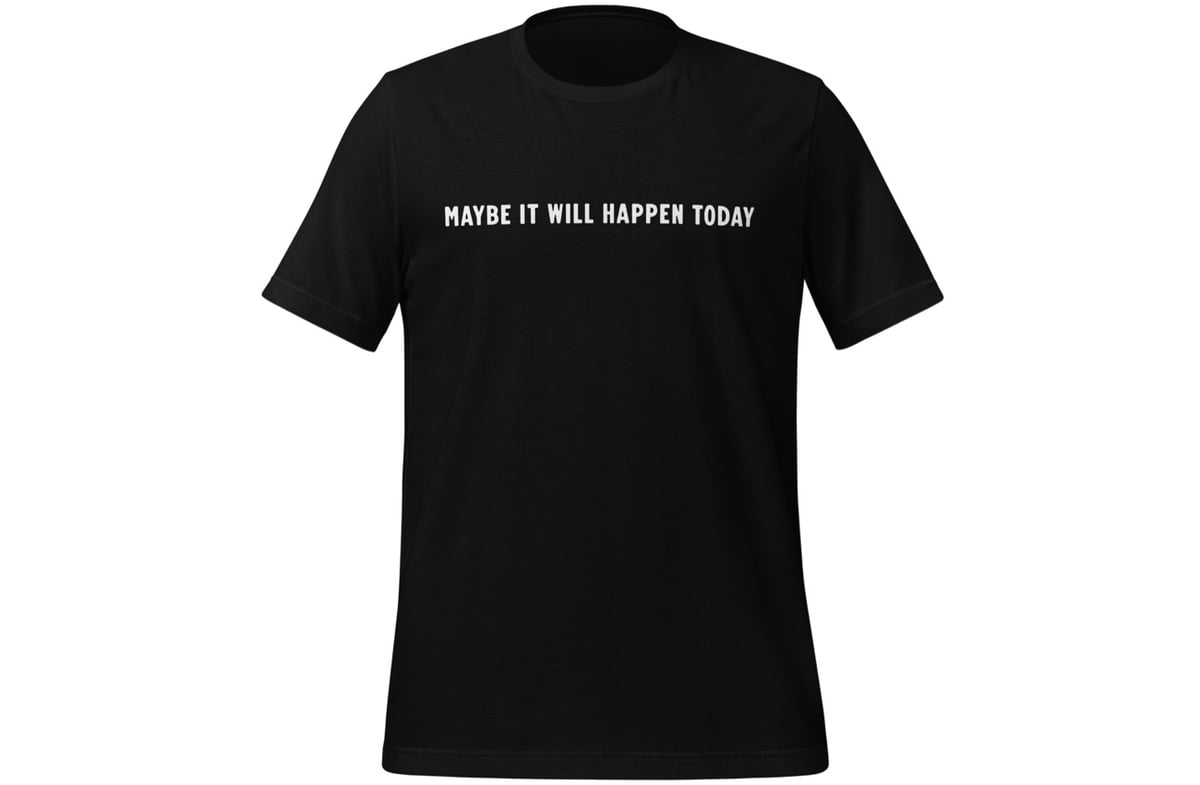
On Friday, I got a bee in my bonnet that this t-shirt should exist and so I made it and now you can buy it. The shirt is simple, straightforward, $25 (+s&h), and ships all over the world.
A promotion. Making a new friend. Or the big cork-popping event; you know the one. Today could be the day!
Maybe it’ll even happen before the shirt reaches your mailbox! We should be so lucky.
Thanks to Dan Cederholm at SimpleBits for his Free Lunch font and to Fourthwall for handling the shopping, printing, and fulfillment.
Oh, and I also zhuzhed up the Goods page, where you can still get the Hypertext, Process, and Choppke’s tees. More fine not-hypertext products to come soon.
Tags: fashion · kottke.org
I might have to find $25 dollars in the budget.
Shelbyville, Kentucky


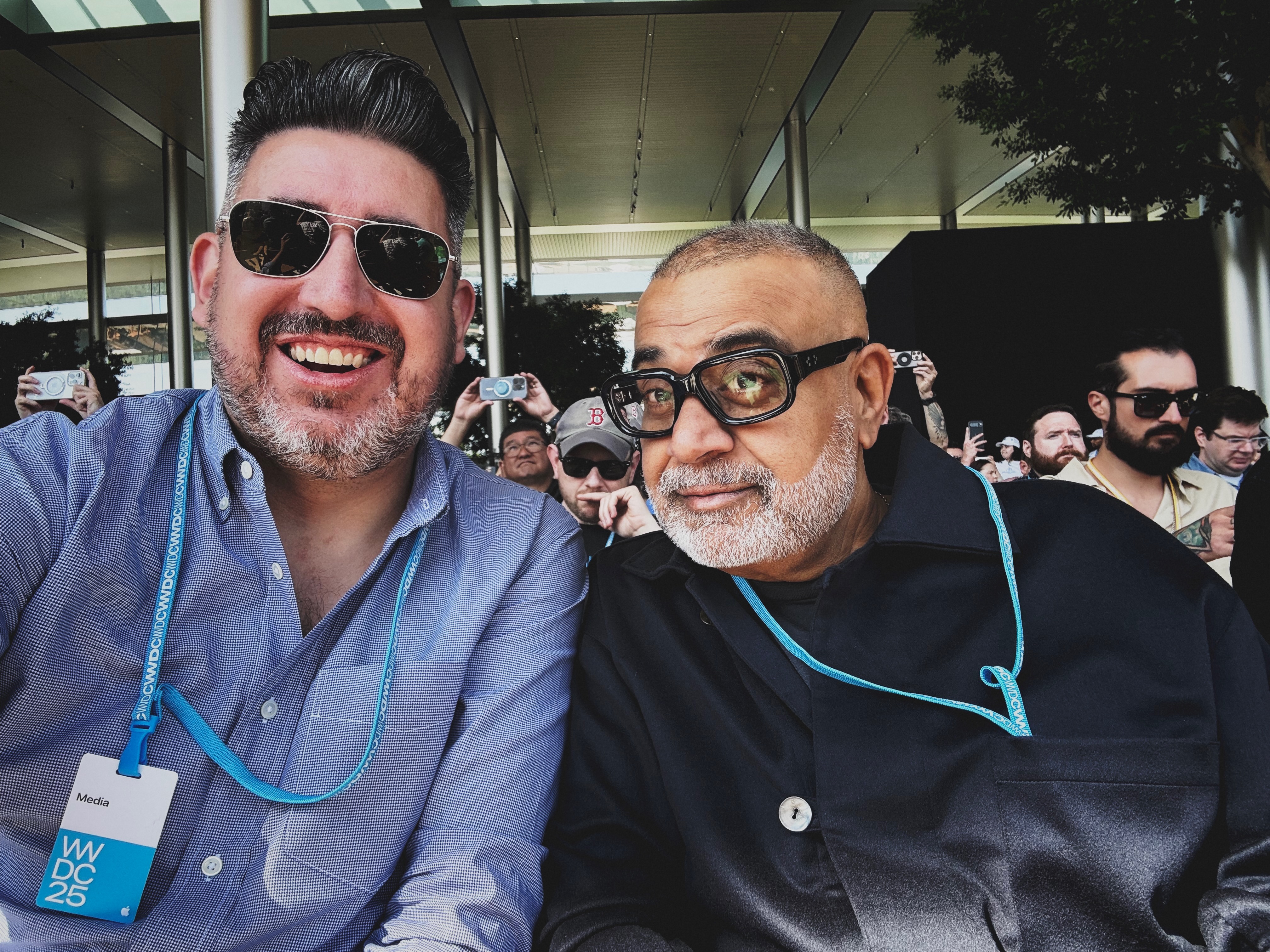
Om died two days ago, after a long battle against a bum heart.
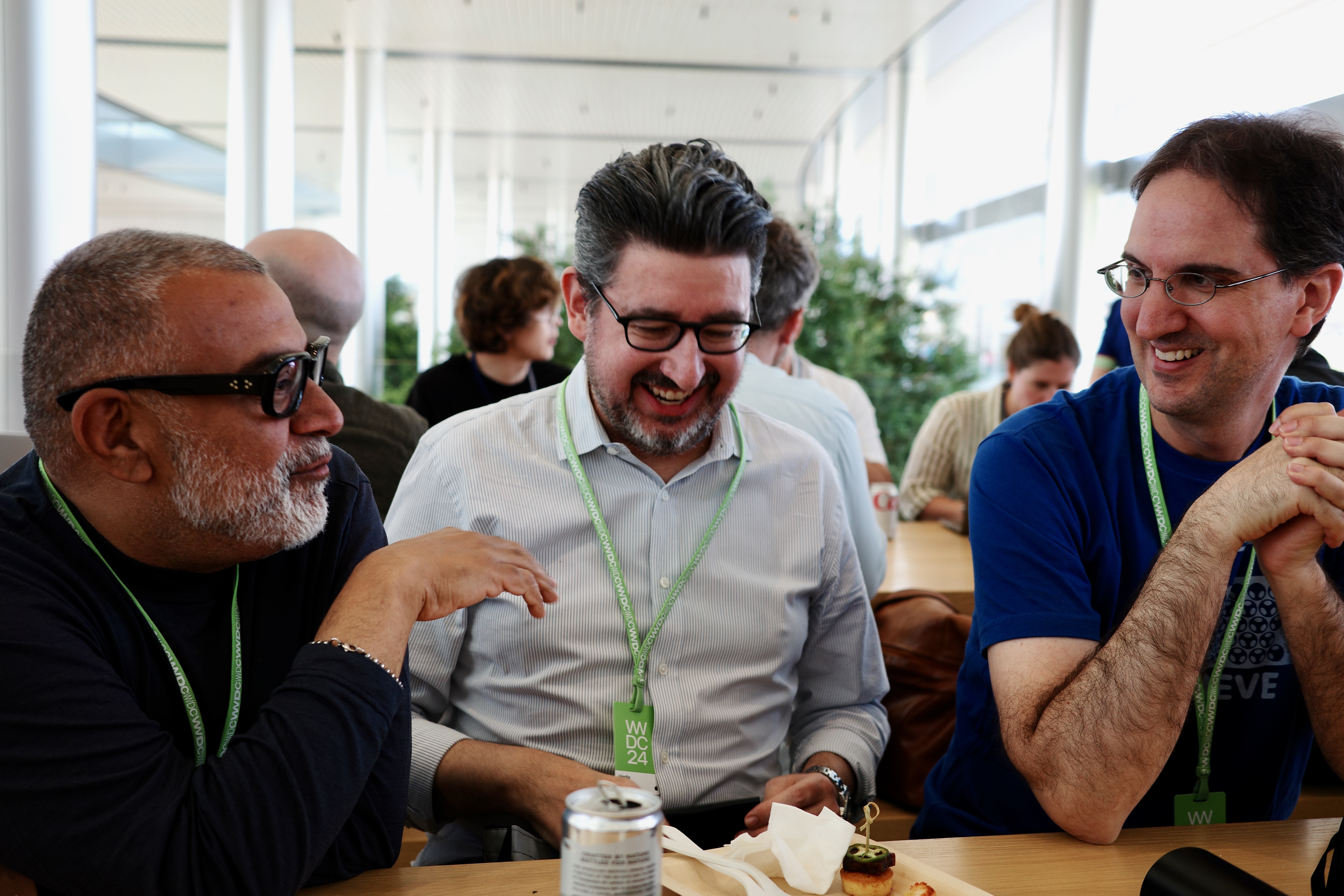
Om and I often sat next to each other at Apple keynotes. This was not at all surprising or odd, insofar as we’d been friends for 20 years. Folks at Apple PR knew that we were close, and would often pair us together in post-keynote media briefings. I always enjoyed being paired with him. He asked keen questions. He saw through bullshit. He found holes in arguments. He took everything in. When I felt overwhelmed, he seemed serene. Om always seemed serene, period. His own photography reflects his presence.
Also, he was funny and fun. Profoundly generous. A good person to be around. A great person to know and be known by. He knew everyone and everyone knew Om. A lot of the people I know in this racket, I know through Om. Every time he’d introduce me to someone, he’d embarrass me with praise for my work. He greeted everyone with a compliment and whatever he said, he meant it. He had kind words to offer everyone because he had a gift for recognizing good things about everyone. He didn’t have an insincere bone in his body, which made him intensely lovable as a friend, and fiercely acerbic and accurate as a critic of technology. “He did not mince words” and “Everyone loved him” do not usually apply to the same person. They did with Om.
He was, of course, a Yankees fan.
So, no, it was not odd that he and I gravitated toward each other at Apple events. But the fact that Om continued to be invited to these events, with a media badge, was in fact unusual. He had stepped away from day-to-day journalism and became an investor back in 2014. A decade later, he was still on the short list of top invitees to events at Apple. His reputation warranted that respect. His ongoing writing and analysis — right up until the very end — continued to earn it. So of course Om continued to be invited to, and attend, these events. He was Om Fucking Malik. His presence improved any room, and lifted everyone’s mood. He made grumps smile. You couldn’t help it.
When he stepped aside from his namesake website GigaOm in 2014, Om wrote:
“Now it is time for the next chapter,” wrote Derek Jeter, the New York Yankees shortstop and my 2nd favorite Yankee (behind Bernie Williams), sharing his intention to retire at the end of 2014. “I have new dreams and aspirations and new challenges. And I want the ability to move at my own pace, see the world and finally have a summer vacation.”
I relate to Jeter’s desire to find life outside of work. Living a 24-hour news life has come at a personal cost. I still wake in middle of the night to check the stream to see if something is breaking, worrying whether I missed some news.
It is a unique type of addiction that only a few can understand, and it is time for me to opt out of this non-stop news life. After five years as a “venture partner,” I am joining True Ventures as a partner, and thus bringing an end to my life as a professional journalist.
Om, somehow, went straight from new-media wunderkind to éminence grise of tech journalism. Back when he was blogging, he blogged hard — multiple breaking-news posts per day, every day, while he was working as an acclaimed reporter for Business 2.0, Forbes, and Red Herring. That’s not what he did for the latter half of his career at all. He began changing his pace and perspective after suffering a heart attack in 2008, at the age of 42. He knew what he wanted to change, he told us he was going to change it, and then he did it. Thinking about his career transformation brings to mind the great Donald Knuth’s remarks regarding email:
Email is a wonderful thing for people whose role in life is to be on top of things. But not for me; my role is to be on the bottom of things. What I do takes long hours of studying and uninterruptible concentration. I try to learn certain areas of computer science exhaustively; then I try to digest that knowledge into a form that is accessible to people who don’t have time for such study.
What email is to Knuth, the 24-hour news cycle was to Om. He’d had enough, and recognized it. He no longer wanted to be on top of things. He wanted to be on the bottom of things. He transformed himself from the bloggiest of quick-trigger bloggers into the most thoughtful of essayists. He went from documenting what was happening, as it happened, to explaining why. He was very, very good at that — he saw things through a singular perspective and expressed his thoughts with a singular voice.
Om was never impressed by who someone was, what they’d previously accomplished, what grand wealth they’d garnered, or stature they’d achieved. It’s human nature to be overwhelmed by awe in the presence of great people. Om was not. To impress Om, you needed to deliver impressive new work. He was impervious to riptides of hype. Those are superpowers in this racket.
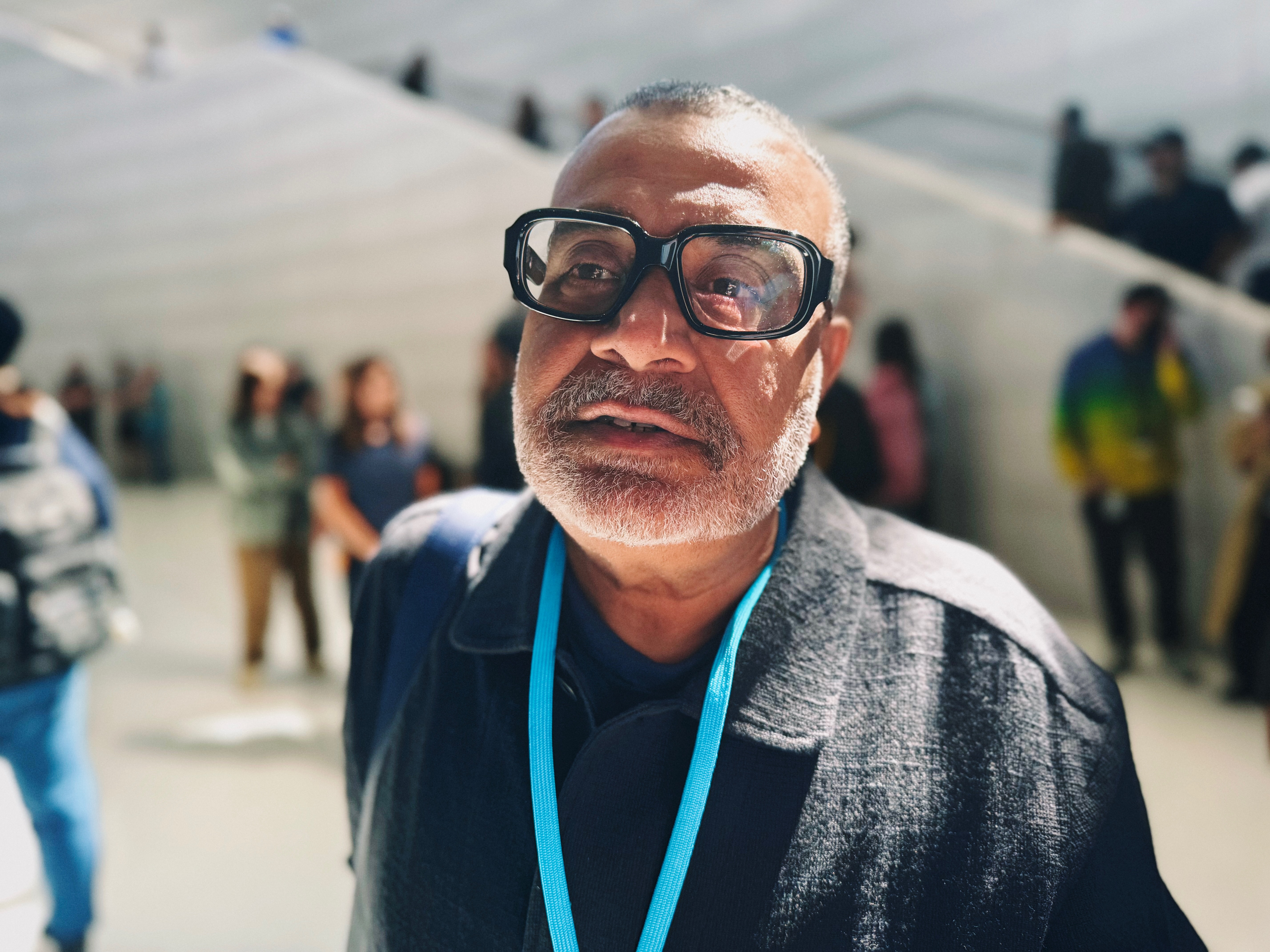
I texted him on June 1 to coordinate meeting up at WWDC the next week. That’s when he filled me in that he’d been hospitalized in the ICU at Stanford since mid-April, and the situation was dire. He needed a heart transplant or he wouldn’t live. I knew he’d been dealing with health issues in recent years, but I had no idea it had become so acute. We’d been chatting regularly for weeks — largely because he’d been so prolific of late, on topics exactly aligned with my own recent attention. He’d been doing some of the best writing and analysis of his career this year — but for the last few weeks, unbeknownst to me, and most of the world, that writing was from a bed in the ICU.1 This is going to sound cornier than a bucket of Jiffy-Pop, but it is a profound irony that a man with such a big and beautiful figurative heart could have such a lousy literal one.
I apologized for calling out his website in my “What Is a Dickover?” interactive essay, which I hadn’t warned him about, and had posted just three days before he told me of his medical plight. He told me not to worry, I was right, it was annoying, and he’d fix it. I didn’t think he’d get to that. But I checked today, and it’s gone.
Om didn’t keep his health crisis secret, per se. He kept it private. That was very Om. He was generous and effusive, often ebullient, always intense. But he was, in many ways, inscrutable. Private. Contemplative. Comfortable with himself, and by himself. I’ve never met anyone like Om Malik. They broke that mold after minting one.
I seldom ask anyone for professional advice, but when I did, I often asked Om. We did not do exactly the same thing, he and I, but we did close to the same thing. He understood what I do — or at least, what I try to do here — in a way that few others could. Among those of us who came of age in the first decade of blogging, who aspired to make it a career, the common route was to go from independent blogging to a salaried byline at an established big-name publication with roots in print as a magazine or newspaper. Om went the other way — from acclaimed reporter in top-shelf print magazines to turning GigaOm into a phenomenon. I never saw Daring Fireball as a stepping stone to greater things. I wanted only to make Daring Fireball a great thing. Om recognized that. In one of my earliest memories of meeting him — I think when I was working at Joyent, circa 2006 — we discussed publishing and new media and my own ambitions. He told me I should just keep doing what I was doing. Establishment media was a bloated slow-moving mess, he said. The future, he was absolutely certain, would be controlled by creators building their own brands and reputations, not subserving a legacy media publication. I told him I had no such plan. He said, “Good. You don’t need them. They need you.”

Om loved good coffee, nice watches, exotic pens, Apple products, the media industry, photography (both the art and the gadgetry), and the New York Yankees. So, yeah — he and I always had more to talk about than time to talk when we were together. Always. But it was the Yankees we talked about most. He loved about the Yankees what I love about the Yankees — that they embody the pursuit of excellence. Not just winning, but winning the right way. The Yankees play in Yankee Stadium, not Shitco Cellular Service & Financial Bank Park. He got angry about the Yankees by what gets me angry about them. Not when they merely lose. That’s baseball. But when they get cheap, or stupid, or both. (You did not want to get Om started on Hal Steinbrenner, who is definitely cheap and possibly stupid.)
We attended a handful of games together at the Stadium. One time, he told me the most amazing story. When he first immigrated to New York in 1993, and was hustling to make a career in journalism in the U.S., he supported himself with a job selling luggage across the street from (old) Yankee Stadium in the Bronx. If you’ve ever been to New York, you know those stores. He worked at one. He didn’t know anyone in New York, let alone anyone in the U.S. business or technology news media. And he didn’t know a damn thing about baseball. So, on many days, he’d work all day and into the early evening, and then go across the street and buy a cheap seat in the upper deck and watch the Yankees. You’re never alone in a stadium. He learned baseball, and he fell in love with the Yankees on the cusp of the remarkable Jeter-Rivera-Pettitte-Posada dynasty. Om’s favorite player of that era was the serene Bernie Williams, of course. (Mine was Paul O’Neill, the hothead. Of course.)
I said, “I’ve always wondered about those stores. There’s so many of them. Does anyone actually buy luggage at those places?”
“John, you would be surprised. But they do not sell themselves. You have to sell them. It is hard work. The people who buy suitcases in those stores buy them there because they want to argue about prices. It is a fight every day.”
In Om’s telling, the threads were all infused. His lonesome isolation as a young immigrant, 7,000 miles from his birthplace. Falling in love with baseball (in general) and the Yankees (in particular) at just the right time — a crash course in American culture and an antidote to loneliness, rolled into one pinstriped package. His burning ambition to break into major U.S. journalism. And the daily humbling grind of selling suitcases on the hot summer sidewalks of the Bronx.

Om didn’t sell suitcases for long. But I’ll bet while he did, he was pretty fucking good at it. He didn’t wait for his future to arrive. He made it happen. Careers — hell, our entire lives — are like those suitcases. They don’t sell themselves.
He not busy being born is busy dying, wrote Dylan. Om Malik wasn’t busy dying even when he was dying.
-
I will forever be thankful that, somehow, I had the inkling to tell Om how good his recent writing was, before he told me his health was in such dire straits. Don’t hold back on telling people they made something you love or admire. Om himself was remarkably generous in that regard. ↩︎
Just beautiful.
Shelbyville, Kentucky
1 public comment
 reply
reply

“British energy major BP on Tuesday reported that first-quarter profits more than doubled from a year ago, following a surge in oil and gas prices driven by the Middle East conflict.” Oh, surprise surprise.
David Pierce, writing at The Verge (gift link):
The Pixel 10 Pro solidified a feeling I’d been having through all of my tests: Android is a better operating system than iOS. [...]
If all you got from your phone was the out-of-the-box experience, I’d have picked the Pixel. But unfortunately for Android, app stores exist. And the App Store absolutely wipes the floor with the Play Store. Lots of the apps I use every day — apps like Puzzmo, NotePlan, Mimestream, and Unread — either don’t exist on Android at all or only exist as web apps. Most of the ones that do work on both platforms are better on iOS. And forget about the kind of handcrafted, small-developer stuff — apps like Acme Weather, Current, and Quiche, just to name a few recent favorites — that’s all over the App Store and absolutely nowhere to be found on Android.
Put aside your feelings on whether you agree “Android is a better operating system than iOS”. What’s interesting here is that Pierce, who thinks that’s true, still prefers the overall experience of iOS because the apps are so much better. I first wrote about this in 2010, in “Where Are the Android Killer Apps?”:
But, the thing I’ve noticed, eight months after returning a Nexus One I borrowed for six weeks from a friend, is that, well, I don’t seem to be missing much.
I’ve complained, numerous times, about the “how many total apps are in your store?” metric — the idea that Apple is “winning” because there are more iOS apps than there are apps for any other mobile platform. If quantity of app titles were all that mattered, we’d all be using Windows, not Mac OS X, right? Having the most apps matters, but having the best apps matters too. The sweet spot for a platform is to do well in both regards.
And then, more recently, in 2023, “Making Our Hearts Sing”:
I will offer another quote from Kubrick: “The test of a work of art is, in the end, our affection for it, not our ability to explain why it is good.”
Art is the operative word. Either you know that software can be art, and often should be, or you think what I’m talking about here is akin to astrology. One thing I learned long ago is that people who prioritize design, UI, and UX in the software they prefer can empathize with and understand the choices made by people who prioritize other factors (e.g. raw feature count, or the ability to tinker with their software at the system level, or software being free-of-charge). But it doesn’t work the other way: most people who prioritize other things can’t fathom why anyone cares deeply about design/UI/UX because they don’t perceive it. Thus they chalk up iOS and native Mac-app enthusiasm to being hypnotized by marketing, Pied Piper style.
What’s happened over the last decade or so, I think, is that rather than the two platforms reaching any sort of equilibrium, the cultural differences have instead grown because both users and developers have self-sorted. Those who see and appreciate the artistic value in software and interface design have overwhelmingly wound up on iOS; those who don’t have wound up on Android.
Apple would be wise to cultivate a further widening of this third-party software-quality gulf through radically improved developer relations, rather than attempting to squeeze additional rent from this advantage — which, while penny-wise in terms of juicing its App Store revenue in the near term, is ultimately pound-foolish in the way that it is souring developer sentiment.
The real goldmine isn’t that Apple gets a cut of every App Store transaction. It’s that Apple’s platforms have the best apps, and users who are drawn to the best apps are thus drawn to the iPhone, Mac, and iPad. That edge is waning. Not because software on other platforms is getting better, but because third-party software on iPhone, Mac, and iPad is regressing to the mean, to some extent, because fewer developers feel motivated — artistically, financially, or both — to create well-crafted idiomatic native apps exclusively for Apple’s platforms.
Apple should focus its developer relations on cultivating that motivation, and trust that in the end that will continue to prove lucrative for Apple itself. They should do whatever it takes to make their cut of App Store transactions feel like a beneficial bargain to developers, not an oppressive tax.
I have long been a "you can pry the Pixel from my cold dead fingers" Android evangelist, but the gap on the app stores is wide, ever-widening, and just not going to catch up. I fear my next phone will be an iPhone of some sort.
Shelbyville, Kentucky

From Minneapolis to Munich to Tehran, people are taking to the streets as a form of political expression. The right to peaceful assembly and protest are bedrocks of democracy, and we support everyone’s ability to exercise these rights. Proton’s mission is to protect people’s privacy and freedom from surveillance and censorship. For this reason, protesters across the political spectrum and around the world have turned to our encrypted email, VPN, and other services to keep their communications and online activity safe from monitoring and attacks.
Digital privacy is only one concern; demonstrators must protect themselves offline too. Governments are monitoring protests with increasingly draconian methods, like the thousands of CCTV cameras with AI facial recognition in Hong Kong, and the surveillance creep and rise of Immigration and Customs Enforcement (ICE) raids in cities all over the US.
ICE has deployed mobile biometric tools, such as the Mobile Fortify app, which allows agents to identify individuals in a crowd by pointing a smartphone camera at their face or fingerprints, which matches them against federal databases. Because the biometric matches are considered definitive, US citizens have been wrongfully detained after being misidentified by the technology.
Federal agencies are also circumventing the need for search warrants by purchasing bulk location data from commercial data brokers. If you have apps on your phone that collect and sell your movement history, agencies can use this data to identify individuals back to their homes or workplaces.
In the face of these privacy threats, this guide explains how to defend your rights at a protest in three important areas: your phone, your communications in the cloud, and your face. It’s critical that you remain in control of each of these “identifiers” so you can peacefully voice your opinion without fear of repression or repercussions for exercising your rights.
Secure your phone
Smartphones have made it much easier for protesters to record what’s happening in front of them, and video recordings can be powerful calls to action and tools to hold those in power accountable. However, smartphones also contain massive amounts of personal information and are constantly transmitting data.
Many law enforcement agencies in the US use IMSI-catchers (often called Stingrays), which act like fake phone towers to track your location and phone number. While modern 5G networks have better built-in protections, authorities can use jamming techniques to force your phone onto older, less secure 4G or 2G networks to bypass those safeguards.
If you want to protect your data, you have three primary options:
Leave your phone at home
This one is self-explanatory: The authorities won’t be able to track your phone at the protest if you don’t have it. To avoid suspicion, leave your phone on while you are at the protest. For maximum digital privacy, you should not bring any device that can create an external connection, including smartwatches, fitness trackers, or Bluetooth headphones.
Depending on your threat model, you might decide the extra privacy of leaving your phone behind is not worth the inconvenience.
Bring a clean phone
The phone you use every day is linked to your identity, and you could leave it at home (but still on) to make sure authorities cannot access it. If you want a phone with you at the protest, you could buy a new, cheap phone. However, for this to be effective, there are steps you will need to follow. This new phone can only be used at protests. You should not turn it on before you arrive at the protest, and you should turn it off before you leave. You will need a new SIM card. You cannot use your regular SIM in your “protest-only” phone. You should only load the apps that are essential. And you should not link your protest phone to your normal phone in any way.
If you buy a cheap, unlocked Android device and a prepaid SIM that you only turn on and use at the protest, it will be very difficult for anyone to track or identify you. Do not log in to it with your Google account (or your iCloud account if it’s an iPhone). To be extra cautious, you should buy the phone and SIM with cash or a gift card. You could also use a trusted VPN provider, like Proton VPN, to access the open source app repository F-Droid and download the apps you want for the protest. The goal is to put as little personal information as possible on this protest phone.
Buying a new prepaid phone can be expensive, especially if you’re only going to use it for one afternoon. If a new one costs too much, you can bring your regular phone, but precautions must be taken.
Turn off all location data and keep your phone off until you need it
This is the most convenient but least private option. If you must use your primary phone, take these steps to minimize your data trail:
- Reset your advertising ID: This is a hidden ID that apps can use to track you. On Android, go to Settings > Security and privacy > Privacy controls > Ads and tap Reset/Delete Advertising ID. On iOS, go to Settings > Privacy & Security > Tracking and ensure Allow Apps to Request to Track is off.
- Use airplane mode: Keep your phone in Airplane Mode whenever you aren’t actively using it to stop it pinging nearby towers.
- Use a Faraday bag: This is a small pouch that blocks all radio signals. It is more reliable than simply turning your phone off, as some modern devices may still be tracked even when they appear to be off.
- Disable 2G: If your phone allows it, turn off 2G to prevent IMSI-catchers from forcing your phone onto an old, unencrypted connection.
Encrypt your phone
Regardless of which phone you bring, if you have one at a protest, you should encrypt it. This will prevent the police or anyone who gets physical access to your phone from accessing your data. If you set a passcode on your iOS device, it is already encrypted. Most Android devices also automatically encrypt themselves, but if you are uncertain, you can tap Settings, then Security, and see if Device Encryption has been activated.
You should also make sure you update your device’s settings so that it does not display notifications when the screen is locked.
Turn off biometrics on your phone
Do not use biometric authentication, like face or fingerprint scans, to secure your iOS or Android device. While the legal landscape is shifting, it remains unsettled. In early 2026, some US courts ruled that compelling a person to unlock their phone with a thumbprint is a “testimonial act” protected by the Fifth Amendment. However, other courts disagree, and federal agencies like ICE use warrants that explicitly authorize them to forcibly hold a phone to your face or use your fingers to bypass security.
It is much harder for authorities to legally or physically force you to provide a memorized passcode.
- Use a strong passcode: For the best security, your PIN or passcode should be at least 10 digits long, avoid obvious sequences, and ideally include numbers and letters if possible.
- Enable lockdown mode: On both iOS and modern Android devices, you can quickly enter a lockdown state (usually by holding the power and volume buttons) to instantly disable biometrics and require a passcode for the next unlock.
- Know your rights: In the US, you are generally not obligated to share your passcode with law enforcement. However, in countries like the UK and Australia, authorities can legally compel you to hand over your password or face criminal charges.
Use secure messaging apps that are end-to-end encrypted
If you are at a protest and are worried about your privacy, you should not use SMS. It is the easiest messaging method for law enforcement to intercept. Instead, you should use an end-to-end encrypted secure messaging app. The most secure messaging app is Signal, which is operated by a nonprofit and collects almost no metadata.
- Use disappearing messages so that if your phone is seized, your past conversations are already gone.
- You can hide your phone number and use a username, which prevents your identity from being linked to your account if a stranger adds you in a group chat.
Although WhatsApp is end-to-end encrypted, Facebook controls the metadata. While they can’t read your messages, they do record who you message and when. Law enforcement can request this metadata to map out protest networks.
Apple’s iMessage is also end-to-end encrypted, but only if you turn on Advanced Data Protection. But please note, if you turn on iCloud backup on your iOS device for WhatsApp or iMessage, your messages will be saved in an unencrypted state.
Protesters should not use Bridgefy. Despite marketing itself as a “protest app” and an end-to-end encrypted messaging service, it is not end-to-end encrypted and should not be trusted with sensitive communications.
Bridgefy uses Bluetooth and a mesh network routing so that users can message each other without an internet connection. However, a group of researchers devised a series of attacks against the app and discovered it puts an incredible amount of user data at risk. As Ars Technica reported, even attackers with only moderate resources can deanonymize users, decrypt and read messages, and tamper with messages in transit.
The researchers shared these vulnerabilities with Bridgefy in April, but they have not yet been fixed.
Use end-to-end encrypted email
Email services like Gmail or Outlook can scan your messages and provide them to law enforcement. If you need to coordinate privately using email, it’s important that all members of the conversation are using a secure email service that supports end-to-end encryption.
Conversations in Proton Mail are end-to-end encrypted (meaning only the sender and recipient can access the contents of the message) when both parties are using Proton (or another PGP-enabled service). Otherwise, the communication will be zero-access encrypted, meaning Proton won’t have access to the messages, but the service of the person you’re writing to will unless you password-protect your emails.
Proton Mail also lets you send self-destructing messages, which are erased from your recipient’s inbox at a specified time you set.
To protect your inbox from physical searches, you should use app-level PIN protection. This requires a code or biometric check specifically for the Proton Mail app, meaning that even if someone manages to unlock your phone, they will still be blocked from your emails. For an added layer of physical privacy, you can use the discreet app icon feature to change the Proton Mail icon on your home screen to look like a generic utility app, such as a calculator or weather app. This makes it much less obvious that you have a secure communication tool installed if your phone is inspected.
Proton is based in Switzerland, so your data is protected by some of the world’s strongest privacy laws. We are prohibited by Swiss law from responding to any foreign data requests unless they are approved by a Swiss court, providing a vital legal barrier against overreaching surveillance.
Be wary of posting to social media
You can put yourself and other protesters at risk by posting on social media. There is little point in going through the effort to protect your smartphone from being monitored if you share everything you are doing on Facebook, X, or TikTok.
In 2026, federal agencies use AI-driven social media monitoring to scrape protest photos and videos. These tools can identify you or your friends through facial recognition, unique tattoos, or even the metadata hidden in your files. To preserve your privacy, be mindful of the information you share about yourself and the protest in general. If you do take pictures, ensure that all faces and identifying features are blurred or covered first.
Strip photos and videos of faces and metadata
If you must post to social media, be careful what information your photos inadvertently expose. When you take a photo or video with your smartphone, it records metadata (also known as EXIF metadata), which includes the exact time, date, and GPS coordinates of where the image was captured.
You can prevent your smartphone camera from adding location metadata in your iOS and Android settings, but for photos you have already taken, you should scrub the data before sharing. The most effective way to do this quickly is to use the Signal app.
Open Signal and select a photo as if you are sending it, then use the blur tool to hide faces. Signal automatically strips out all EXIF metadata and hides facial features in a way that is difficult for AI to reverse.
Taking a screenshot is a popular way to hide data, because they do not carry the original GPS metadata. However, screenshots may still contain metadata from your device, such as the time of the capture or your phone’s model. For a more thorough approach, use specialized tools like PrivMeta or Image Scrubber, which allow you to wipe metadata and paint over faces while your phone is in airplane mode.
Tip: Pixelation can sometimes be undone, so covering faces with solid black boxes or opaque digital stickers is a much more secure way to protect identities.
Your face is your identity
If you are at a protest, it’s impossible to control who takes photos of you. To protect your privacy, you should plan on covering your face in a way that disrupts modern AI. While medical masks were once sufficient, current surveillance technology can often identify individuals by analyzing only the area around the eyes and the bridge of the nose.
To be effective in 2026, you should use a combination of items to break up your facial symmetry. A wide-brimmed hat pulled low can block overhead cameras, while large, wrap-around sunglasses can obscure the key landmarks around your eyes. Using a bandana or neck gaiter that covers from the bridge of your nose down to your chest is much more effective than a simple mask.
For even greater protection, consider garments or makeup that use specific patterns designed to confuse AI. Look into computer vision dazzle (CV Dazzle), which uses high-contrast shapes to hide the bridge of the nose and eyes.
Finally, remember that law enforcement also uses unique identifiers like tattoos, bright-colored hair, or specific logos on your clothing to track you. Covering these with long sleeves, gloves, or plain, unbranded layers is just as important as covering your face.
Final takeaways
As a Swiss organization, we are politically neutral; however, we are unequivocal in our defense of citizens’ fundamental human rights. We believe everyone, including protesters, has the right to security, privacy, and freedom. Peaceful popular protests are often catalysts for long-overdue policy changes. If you are protesting peacefully and you want to protect your privacy, you should:
- Secure your phone (or leave it at home)
- Use end-to-end encrypted messaging and private email apps
- Be careful about posting on social media
- Scrub out identifying information from photos and videos
It is also important to note that as a Swiss organization, Proton Mail is subject to Swiss law, meaning we will take firm action against those who use our service for purposes that are illegal in Switzerland. We have clear terms and conditions as well as a zero-tolerance policy for crime. If any user violates those terms and conditions or uses Proton in the commission of a crime under Swiss law, such as the destruction of property, we will disable their account.
We’re proud that Proton Mail and Proton VPN have become tools that protesters and demonstrators use to share their voices. We are firm in our stance that everyone has the right to privacy, and we hope this guide helps peaceful protesters stay safe.
UPDATE Aug. 25, 2020: This story now includes information about the Bridgefy messaging app.
UPDATE June 17, 2025: Added information about license plate scanners, Faraday bags, and Signal removing EXIF data.
UPDATE March 3, 2026: Updated to include information on federal biometric surveillance (Mobile Fortify), the data broker loophole, and 2026 legal rulings on compelled biometric unlocking.
You can get a free secure email account from Proton Mail here.
We also provide a free VPN service to protect your privacy. Proton Mail and Proton VPN are funded by community contributions. If you would like to support our development efforts, you can upgrade to a paid plan. Thank you for your support.
***
Feel free to share your feedback and questions with us via our official social media channels on Twitter and Reddit.
Always good info.
Shelbyville, Kentucky
Next Page of Stories